

Available to the Master subscription tier and above. Upgrade here.
Being aware of your daily wordcount can help you plan ahead in your writing routine. You can set word goals per chapter and per manuscript. Here's how to set it in Manuscripts:
- Open your Manuscript for editing and, on the top left, click the purple wordcount button.
- Scroll down on the wordcount screen
- You'll be able to see stats for the words written per day and your writing history.
- Enter your word goal and target date, then save your goal to track your words.
This is how your Manuscript word tracker will appear after you have set your word goal.
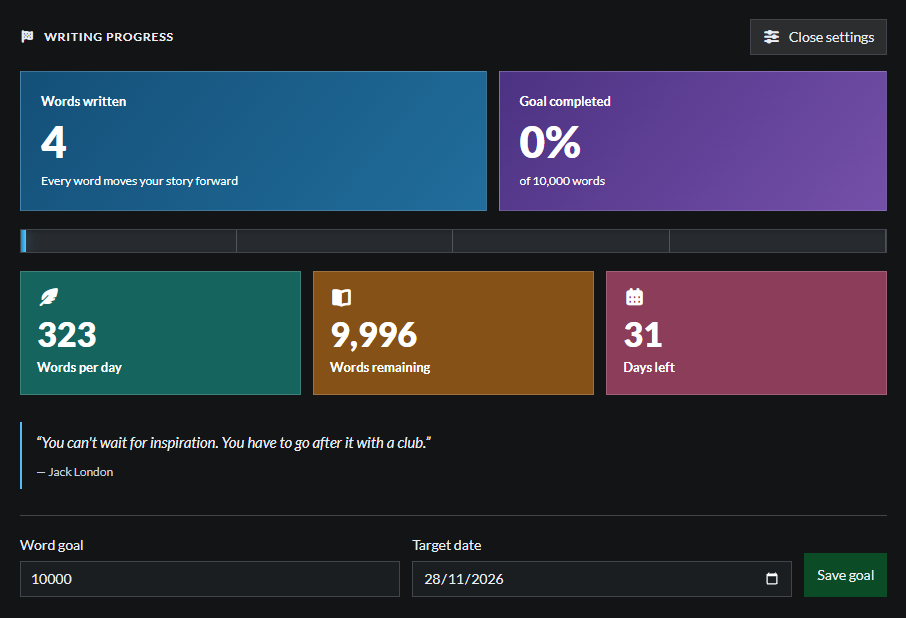
To track your words by chapter, click on the chapter folder in the left side bar and set your word goal and target date, then click save goal.
For more information and help about using Manuscripts, see the Feature Guide to Manuscripts.